
How to generate a survey link
There are two ways to generate a survey link:
1. Using quick links
The easiest way to generate a survey link is using the quick links within the survey list page. Hover over the link icon, and a drop down list will appear with the various survey types. Click on the survey type to copy the link.
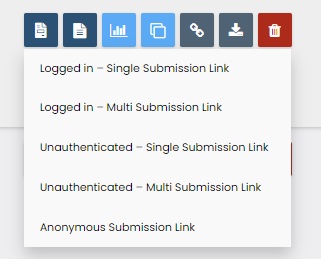
Note: You can configure these links within the survey-buddy-builder iPart configuration. The link will contain a 'SurveyID' which is unique for each survey.
2. Manually generated survey link
You can manually generate a link by creating a page in iMIS RiSE for your survey. This provides complete flexibility of your link for each survey.
- Go to RiSE-Page Builder-Manage Content
- Within the folder of your choice, create a new page by clicking on New-Website Content within the toolbar.
- Give the page a name, and then click on 'Add Content'. Within the 'Custom' folder add the Survey-Buddy-Display iPart.
- You can then configure the survey as needed. Save and publish the page. The link to that page is your survey link.
Refer to Survey Buddy Display Configuration for more information.