Creating
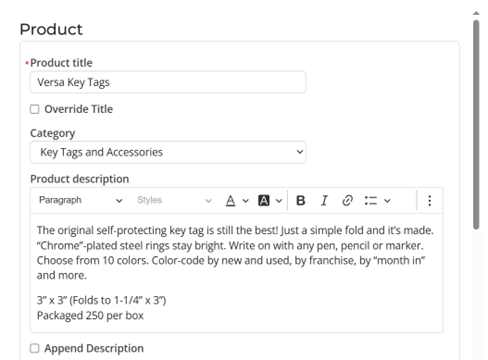
Enter a title, category and description for the product.
Selecting “Override Title” will set the title to switch to the individual product title for the selected variant.
Append description will append the selected variants description after the master product description.
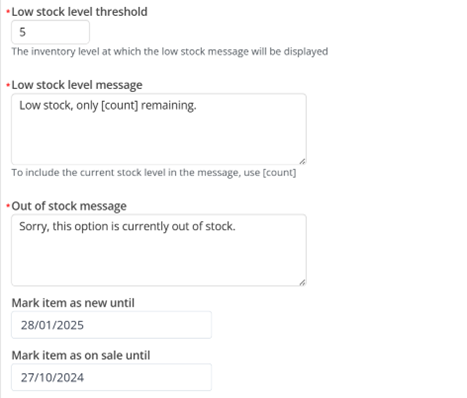
If inventory for the selected product is below the “Low stock level threshold” value then the “Low stock level message” will be displayed.
The placeholder [count] can be used in the low stock message and will be replaced by the current inventory value.
Out of stock message is shown if the product is an inventory item and the inventory is 0
The master product will display the “New” flag and show in the “New Arrivals” category listing if the “Mark item as new until” date is in the future.
Similarly, the master product will display the “On Sale” flag and show in the “SALE” category if the “Mark item as on sale until” date is in the future.