Accordion
Global Settings
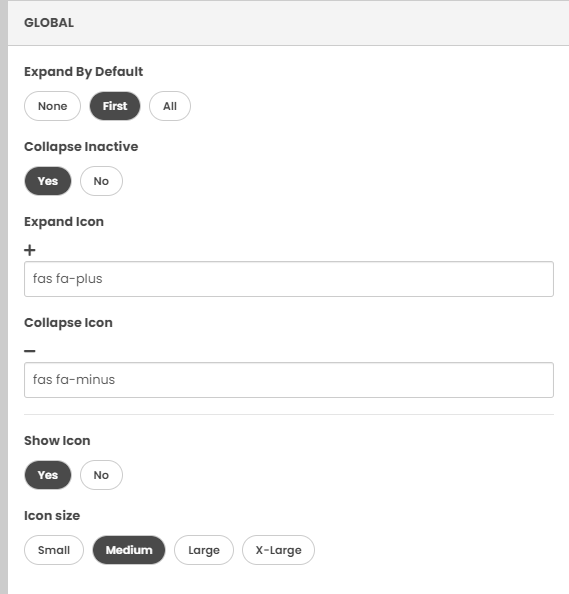
- Expand by default: determines whether the accordion displays expanded or hidden
- Collapse inactive: selecting "No" stops the accordion from ever collapsing
- Expand and Collapse icon: edits the icon used for a user to expand or collapse accordion tabs
- Show icon label: this will show or hide the icon label
- Icon size: determines the size of the icon
Accordion Settings
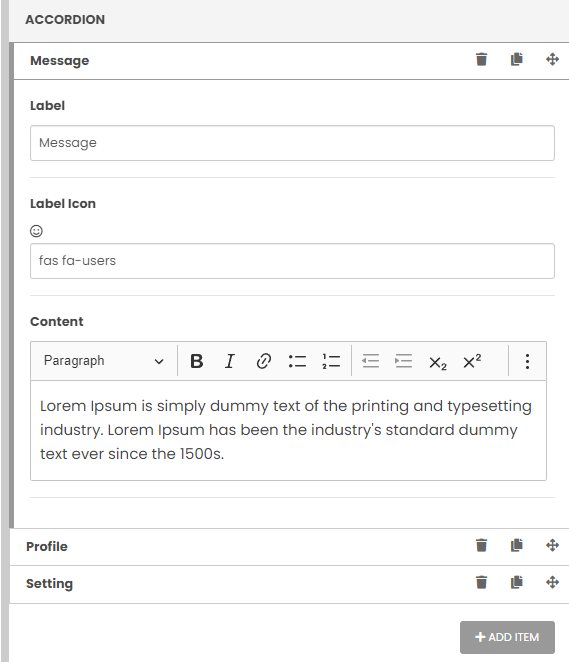
- Contains list of accordion tabs. These can be dragged to be reordered.
- Each accordion tab entry has three icons: delete, copy, drag
- Label: the text that appears on the accordion bar
- Icon: the icon that appears on the accordion bar
- Content: the text that appears within the accordion when its expanded
- Add item: this adds another row to the accordion