Anonymous Contact Creation
Most Survey Buddy customers, typically send surveys to existing iMIS contacts. However, what if you wanted to send a survey to contacts that may not be in iMIS, and then create records in iMIS for them with a click of a button. You can also setup duplicate checking rules, to prevent duplicate records being created. That is exactly what the anonymous contact creation feature allows you to do.
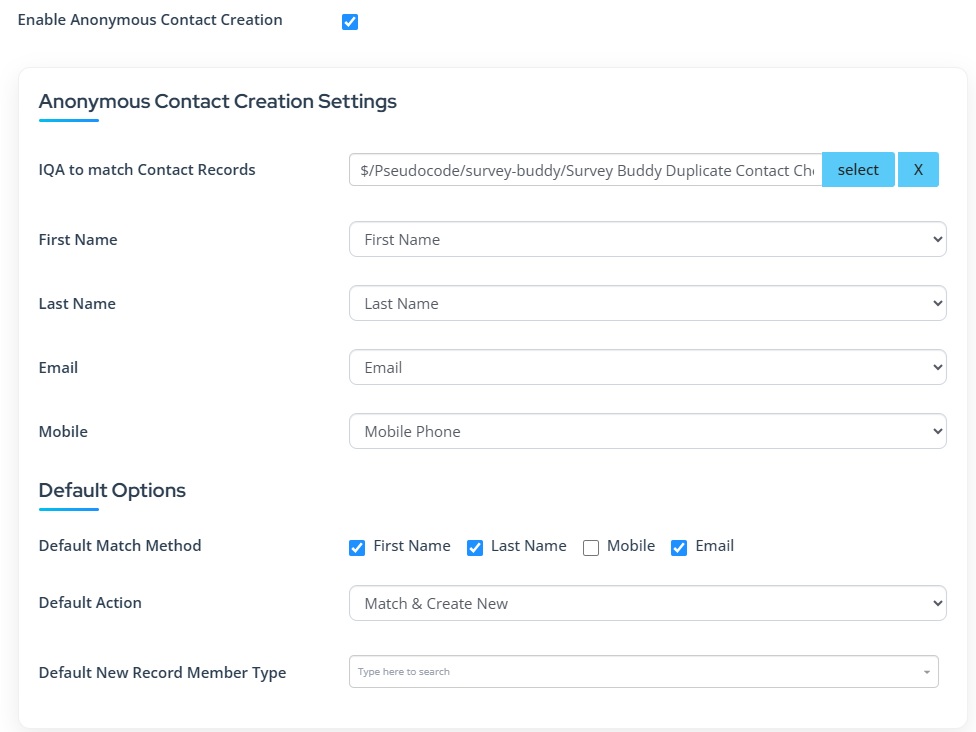
In the Survey Builder configuration, you first need to "Enable Anonymous Contact Creation". Settings then exist to select the IQA that is used to check for duplicates. A sample IQA is provided "$/Pseudocode/survey-buddy/Survey Buddy Duplicate Contact Check"
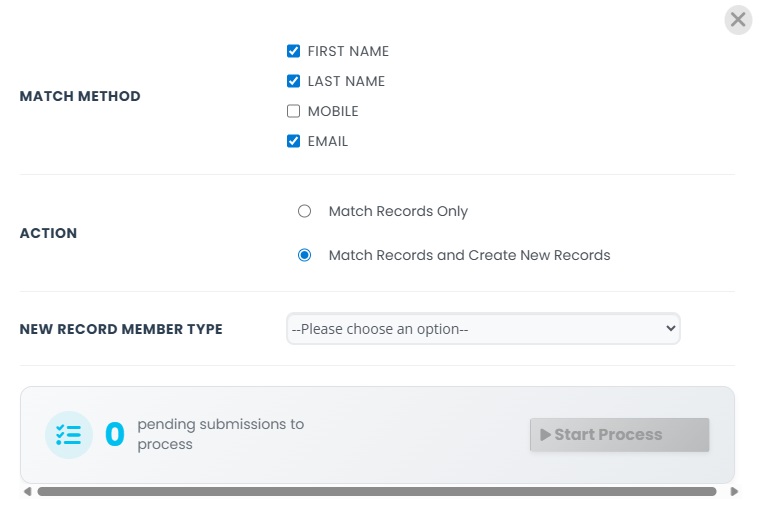
You can then also set the default match method and action, so it does not need to be manually set for each survey. You can choose which fields you want to match on. You can then set the action which is either:
"Match Only": Will not create new contact records. If it matches against an existing record, the survey submission will be linked to that record. If there are multiple matches, the first one will be selected.
"Match & Create New": If there is no match a new contact record will be created. This record will be created using the chosen member type in the confirguration.
For this feature to work, you will need to send the surveys out using the anonymous survey link.
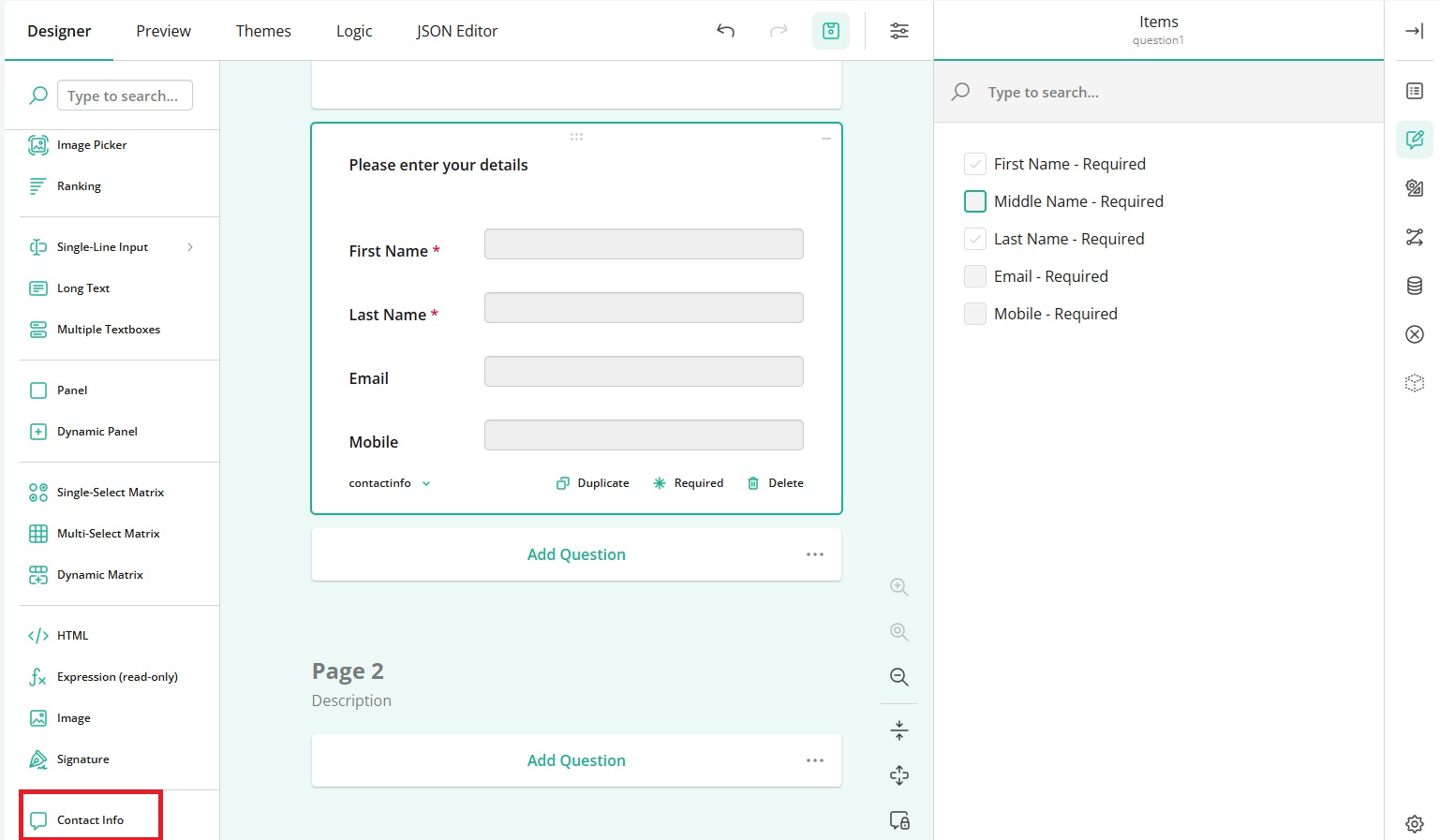
You will also need to add the "Contact Info" question type onto your survey. There are some options you can select, like whether a middle name, email or mobile are required. The first and last name need to be required fields, so you cannot change those.
Once the feature has been enabled, you will see a new "C" option in the set of icons next to the survey, in the Survey Builder page.

When you click on this icon, the default match and action settings should already be set. You can however change these manually for each survey if needed. It will then show a count of how many anonymous survey submissions there are that have not yet been processed. Click on "Start Process" to then go through each submission, which will create new contact records, or match against existing contact records.